If you are live streaming a game, event, or show, sending the stream to only one platform can limit who sees it. Restream.io was interesting because it handled the platform fan-out in the cloud instead of making your computer and upload connection do all the work.
What Restream did
The idea was simple: send one stream to Restream, then let Restream push it to services like YouTube, Twitch, Ustream, Livestream, and other platforms.
Why that mattered
For creators, the appeal was reach. Your audience may not all live on one platform, and asking people to switch platforms is friction. Multi-streaming let you meet people where they already were.
Basic setup
- Create a Restream.io account.
- Add the channels you want to broadcast to.
- Copy the RTMP URL and stream key.
- Add that custom streaming destination to Wirecast, OBS, or your preferred streaming app.
- Start broadcasting.
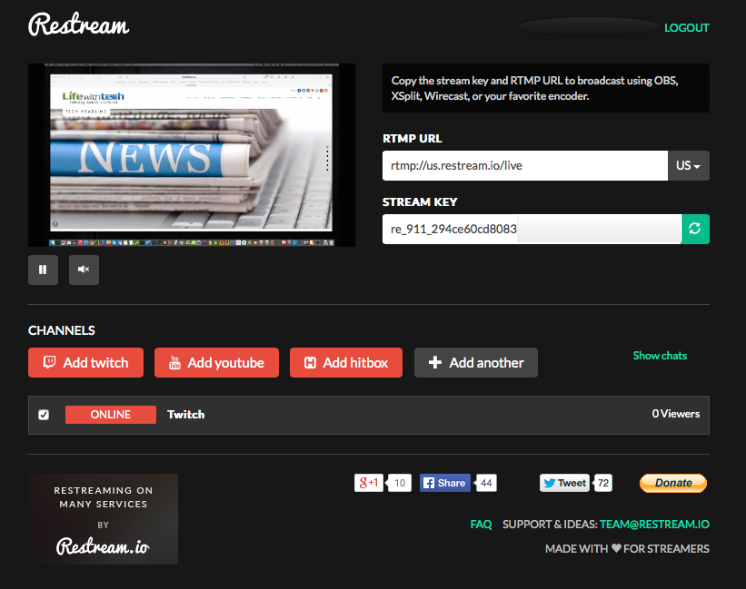
For anyone doing regular live shows, this kind of workflow was worth testing because it solved a real distribution problem without requiring more local upload bandwidth.



